TWITCHBITS
How much are 100, 1,000 and 10,000 Bits on Twitch?
What viewers pay for Bits, what a streamer gets per Bit, how to send Bits and turn them on, and why free Bits sites are a scam you should skip.

Short answer
Before you start
- A Twitch account
- To send Bits: Twitch on the web or the official app, since you can't Cheer from a phone browser
- To receive Bits: monetization onboarding done in your Creator Dashboard
- To get paid for them: Affiliate or Partner status
Bring your setup to a 24/7 AI Streamer Coach
Ask Streamer Coach →Get personalized feedback to fix streaming issues and plan your next content.
Step by step
- 01
See what a viewer pays for Bits
Twitch: Purchase Bits ↗Someone just dropped 1,000 Bits in your chat and you don't know whether to celebrate or grab a calculator. Start with what they paid. On twitch.tv/bits, as of 9 October 2026, Twitch lists these bundles in US dollars: 100 Bits for $1.40, 500 for $7.00, 1,500 for $19.95, 5,000 for $64.40, 10,000 for $126.00 and 25,000 for $308.00. Bigger bundles cost less per Bit. There's no 1,000 bundle, so two 500s come to $14. And 100,000 Bits, bought as four 25,000 bundles, add up to $1,232.
What you should see: twitch.tv/bits shows the bundle list, each with its price and the discount on the larger ones.
- 02
Work out what you get per Bit
Twitch: Bits ↗Now for your side. Twitch says it rewards streamers for Cheers typically at 1 cent per Bit. The quick math is divide by 100: 100 Bits are $1, 1,000 Bits are $10, 10,000 Bits are $100 and 100,000 Bits are $1,000. That's why 100 Bits cost the viewer $1.40 and leave you $1.
What you should see: In your Creator Dashboard, your total estimated revenue shows a Cheering line with what your Bits earned.
- 03
Know when Bits turn into real money
Twitch Blog: Monetization for All ↗Starting 13 May 2026, Twitch began opening Bits, subs, emotes, badges and Channel Points to eligible streamers worldwide, no Affiliate status needed. Spoiler: receiving Bits isn't the same as getting paid. To get a payout you need Affiliate or Partner, and the minimum payout is $50. Until then there's Spendable Balance, which lets you spend your balance on Bits and gift subs. When Twitch announced it, Spendable Balance was US only, so check whether your dashboard has it yet.
What you should see: Your Creator Dashboard offers onboarding for these tools, or already shows your Monetization section.
- 04
Send Bits to a channel
Twitch Help: Guide to Cheering with Bits ↗If you're the one cheering, open the chat of a channel with Bits turned on and click the Bits icon. Pick an amount and send it with Enter. You can also type cheer plus the number, like cheer100 Love your stream. Added an extra zero? Relax: Cheers of 1,000 Bits or more give you 5 seconds to hit Cancel. You can't Cheer from a phone browser, but you can from the Twitch app. Purchases in the app go through Google Play or the App Store and can cost more. For web prices on your phone, open bits.twitch.tv in your mobile browser and buy there.
What you should see: Your message shows up in chat with the animated Cheermote and the number of Bits you sent.
- 05
Check Bits on your channel and set minimums
Twitch Help: Cheering for Monetized Streamers ↗Twitch turns on Cheering by default for qualifying streamers, Affiliates and Partners. To check it, click your profile picture, then Creator Dashboard, Settings, Monetization, Bits and Cheering. You can't change these settings on mobile. You'll find Minimum Bits to Cheer and Minimum Bits Emote, both set to 1 by default. If 1-Bit spam takes over your chat, raise them a little at a time. The minimum to pin a Cheer starts at 100 Bits. And no, you can't Cheer in your own channel.
What you should see: The Bits and Cheering page shows your minimum fields with the numbers you set, with Bits tier badges further down.
- 06
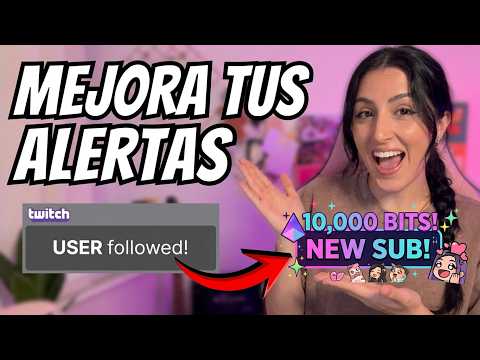
Build an alert for big Cheers
Nicole Rojas | YouTube | 1:00 ↗A 1,000 Bits Cheer deserves more than the 1-Bit treatment. As Nicole shows in the video, in the Creator Dashboard go to Alerts, Edit Alerts, open Bits and click New Variant. Set the alert condition to Bits being at least 100, or 1,000, or whatever you like, then give it its own image and sound. Keep the most specific variants on top: in the video, Nicole explains that Twitch runs through your variants from top to bottom. The full walkthrough is in the text-to-speech, Bits and badges guide. The video is in Spanish.
What you should see: Your new variant shows in the Bits variants list, above the ones that fire on any amount.
- 07
Skip the free Bits sites
Twitch: Bits Acceptable Use Policy ↗Free or cheap Bits sites are a scam, and an expensive one. Twitch's Bits Acceptable Use Policy says Bits can only be bought or received on Twitch, and users can't sell them. Any prohibited sale or transfer is void and can cost you all your Bits with no compensation. Offering things with a cash value in exchange for Bits, like a hoodie or lessons, isn't allowed either. And one bit of common sense on top of the policy: if a site asks for your Twitch username and password to give you Bits, close the tab. And that's it, you know what a Bit is worth and how to keep yours safe.
What you should see: Your purchases and Cheers show up in the Bits history of your Twitch Wallet, and nowhere else.
If something does not work
- There's no Bits button on the channel
- Usually the channel isn't monetized. Look for a Subscribe button under the video. If it's there, your country may not support Bits, or you may be banned from that chat.
- Chat says the channel needs a minimum of 100 Bits
- The emote minimum counts per Cheermote, not for the whole Cheer. Four cheer25s don't add up to a cheer100 as far as Twitch is concerned. Send one cheer100 or higher.
- You bought Bits and they're not showing
- Refresh the page or close and reopen the app, which fixes most delays. Don't buy again just in case. If you see a second charge, it may be a pending payment that drops off in 3 to 5 business days.
- You regret the purchase
- Twitch doesn't refund Bits purchases unless the law requires it. Check the bundle and the price in your currency before you pay.
- Your Cheer vanished from chat
- Mods may be reviewing it, or chat is just moving fast. Check your Bits history: if the Cheer is there, it went through. Twitch, keeping things mysterious as usual.
Test before you go live
- You know the shortcut: Bits divided by 100 is roughly what the channel gets in dollars.
- You've checked the local Bits price from the Bits icon in chat.
- Your Cheer minimums are where you want them.
- Big Cheers get their own alert.
- No free Bits site ever got your password.
- And that's it: next time 10,000 Bits land, you'll know whether to celebrate.
3 trucos avanzados para tus alertas de Twitch que casi nadie configura
Related video from Nicole (in Spanish) ↗Common questions
How much is 10,000 Bits in my currency?
For the streamer, 10,000 Bits are about $100, converted at an exchange rate relative to USD. For the buyer, click the Bits icon in any chat and then Get Bits to see the price where you live. Twitch adjusts those local prices from time to time to follow exchange rates.
How much is one Bit worth?
To the channel, typically 1 cent. To the buyer, a little more: in the 100 Bits bundle each Bit costs 1.4 cents on the web. Bigger bundles bring that down.
How much are 50,000 Bits and a million Bits?
For the streamer, 50,000 Bits are about $500 and a million Bits about $10,000. For the buyer, 50,000 Bits cost $616 as two 25,000 bundles on the web. A million would be 40 of those bundles, or $12,320. If someone sends you that, buy them a coffee.
Do Bits give streamers real money?
Yes, Twitch pays the channel for Cheers, but only once it's Affiliate or Partner and reaches the $50 minimum payout. For the buyer, Twitch says Bits have no monetary value: you can't use them to make a purchase, donate or tip.
Do I need to be subscribed to send Bits?
No. You can Cheer in a channel without subscribing. It gets you into the conversation, can earn you a chat badge and can even kick off a Hype Train.


